Results window
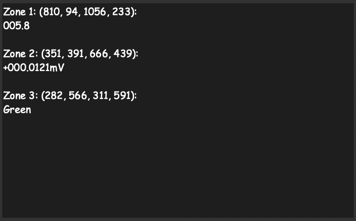
The results window is located in the lower-left corner; it displays recognition results for all zones. If you click on it with the left mouse button, a text file with all recognition results will open: output/results.txt in Program Directory
Note
The file output/results.txt will not be updated if the checkbox for the setting “Write results to text files” is not enabled in Main menu → Settings → Recognition results